:format(webp))
Teams that run Kubernetes describe almost everything as resources: deployments, certificates, DNS records. GPU rentals have been the exception. Someone rents a machine in the dashboard or writes a script against the API, and the rental lives outside the manifests, the reviews and the cluster that uses it.
Today, Hyperbolic is introducing Rental Operator, now available in beta. Rental Operator makes a Hyperbolic GPU rental a Kubernetes resource. You store your API key in a Secret, apply a GPURental, and the operator rents the GPUs through the Hyperbolic API, keeps the resource's status current and puts the SSH details on it. Delete the resource and the rental ends.
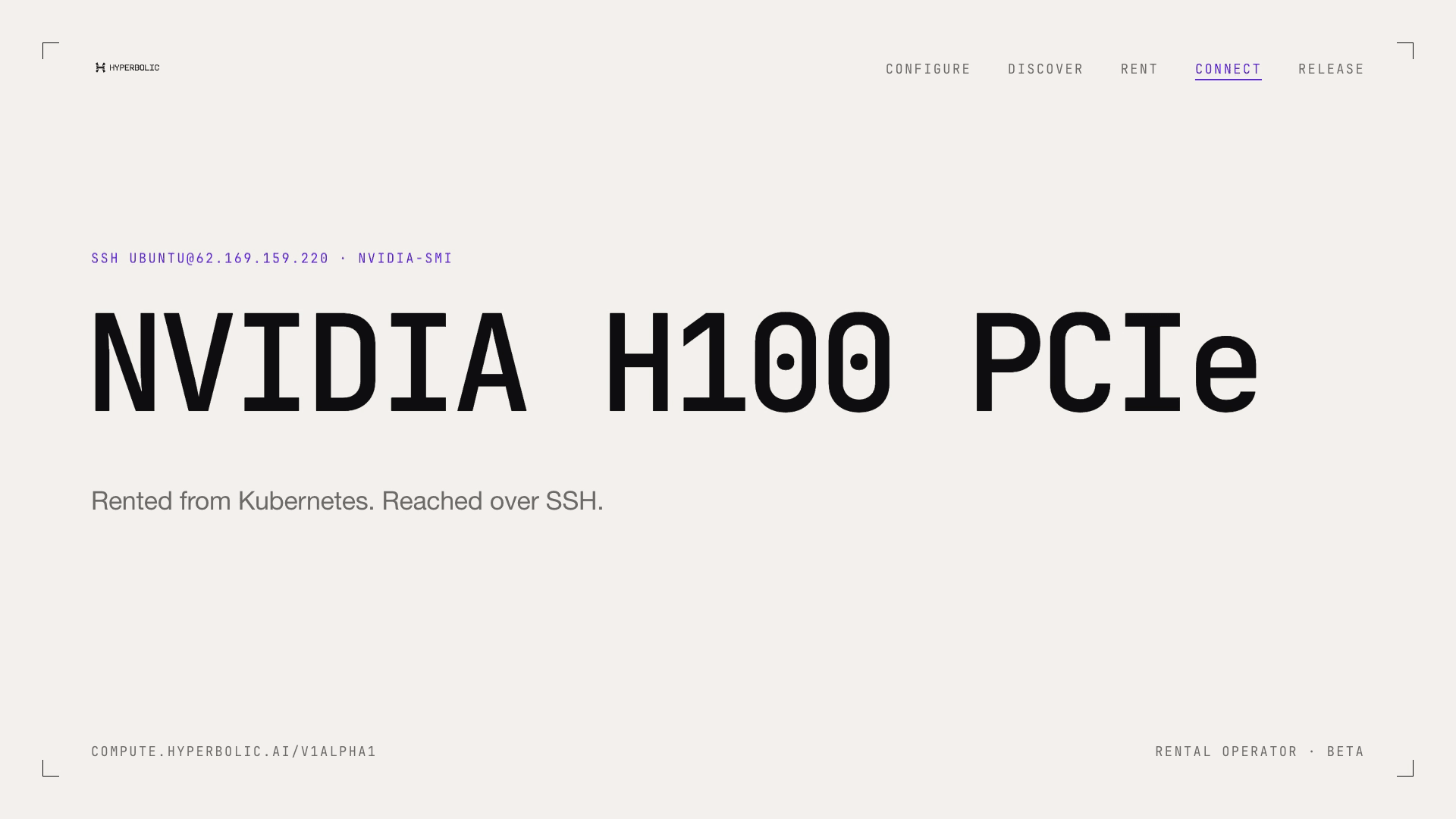
Rental Operator in 70 seconds: configure, discover, rent, connect and release.
What Rental Operator changes
Hyperbolic already offers self-serve access to on-demand GPUs from the console and the API. Rental Operator lets you rent them from the Kubernetes cluster you already run, and the rentals it creates are ordinary on-demand rentals on your account.
Rental Operator is open source under the Apache-2.0 license, together with hyperbolic-go, the Go SDK it is built on.
What is available today
Rental Operator installs into your cluster with one Helm chart and adds five custom resources under compute.hyperbolic.ai/v1alpha1:
GPURental: One on-demand rental. The operator creates it, follows it to Running, publishes its SSH details, and on delete terminates it and waits until Hyperbolic confirms it is gone.
ProviderConfig: Points at the Secret holding your API key, checks the key, and shows your account's balance, active rentals and hourly cost as Hyperbolic reports them.
ClusterProviderConfig: Does the same for one key that a platform team shares across namespaces.
SSHKey: Saves an SSH public key on your account, so rentals can authorize it by name.
GPUAvailability: A filtered, always-fresh view of what your account can rent.
Rental Operator supports Kubernetes 1.35 to 1.37 and is tested end to end on each. Every release signs the container image and the chart, and the chart ships Prometheus metrics and alert rules for the operator.
hyperbolic-go, the official Go SDK for the Hyperbolic API, is open source alongside it. It is generated from the API's published OpenAPI specification and includes an in-memory fake of the API for tests.
How it works
The operator is a controller in your cluster that calls the Hyperbolic API with your API key, the same way you would. It keeps no state of its own. Everything durable lives on the resources or at Hyperbolic.
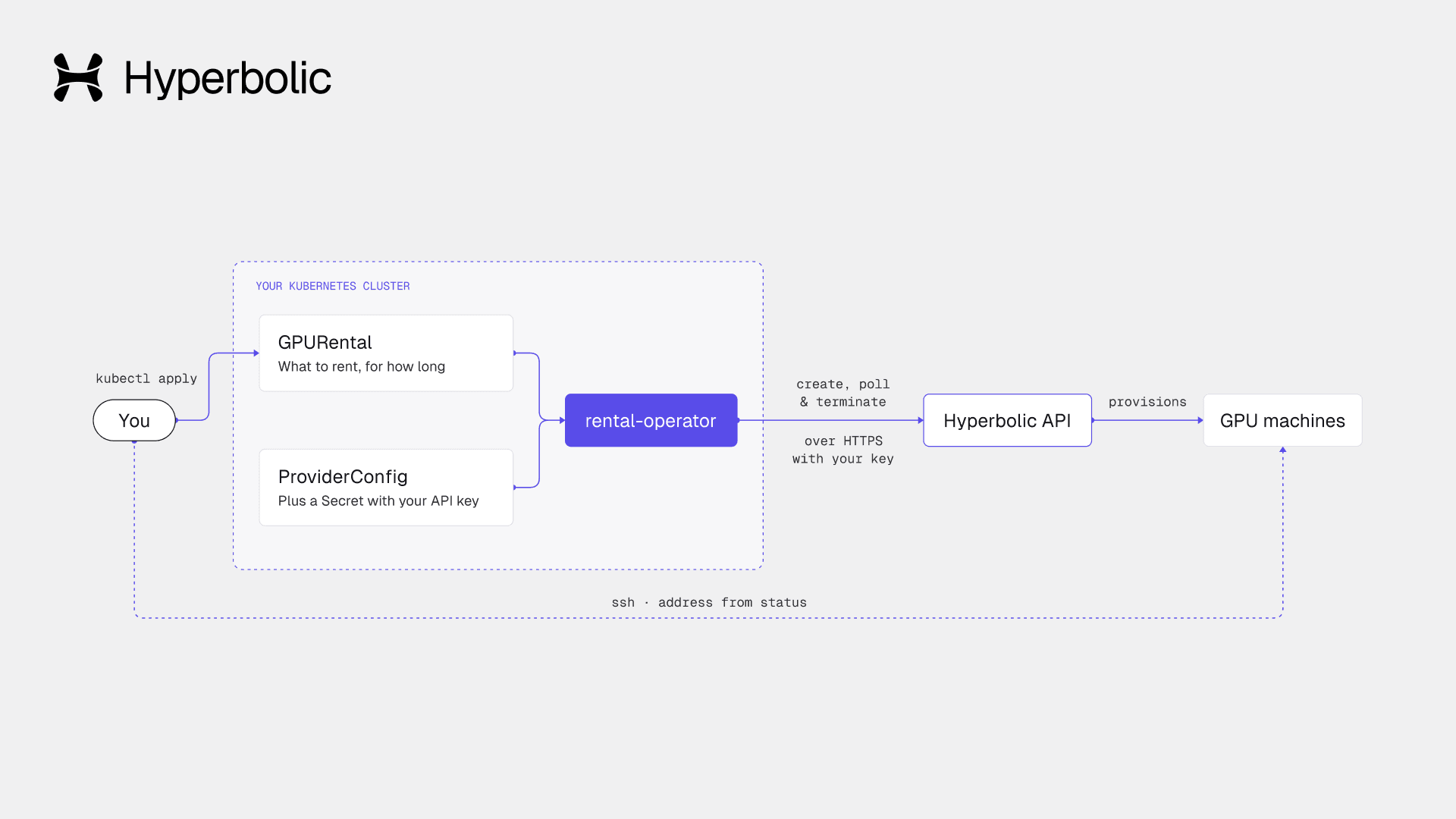
Rental Operator runs in your cluster and calls the Hyperbolic API with your API key.
Deleting a GPURental ends the rental. The resource stays in Terminating until Hyperbolic confirms the rental is gone, and deleting a whole namespace terminates its rentals too.
The operator polls the API every 10 seconds while a rental starts and every 60 seconds once it runs, and it batches all rentals on one account into a single list request.
Pricing and billing
Rentals created by the operator are ordinary on-demand rentals on your Hyperbolic account, billed at the same hourly rates. Rental Operator is free, open-source software and adds no charge of its own.
Your ProviderConfig shows your balance, active rentals and hourly cost as Hyperbolic reports them, so spend is visible from kubectl. Before creating a rental, the operator checks that your balance covers about an hour of it. If it doesn't, the rental waits as Blocked and nothing is created.
How to rent, connect to and release a GPU from kubectl
Install the chart, connect your account, then rent a GPU, connect to it and release it. GPU types, regions, prices and addresses in these examples are illustrative. Use the values from your own account.
1. Install the chart
Install the chart from GitHub's container registry:
helm install rental-operator \
  oci://ghcr.io/hyperboliclabs/charts/rental-operator --version 0.1.0 \
  --namespace rental-operator-system --create-namespace
2. Connect your account
Store your API key in a labeled Secret, create a ProviderConfig named default, and save your SSH key on the account, as the quickstart shows.
3. Rent a GPU
A rental is one resource:
apiVersion: compute.hyperbolic.ai/v1alpha1
kind: GPURental
metadata:
  name: train-run-42
spec:
  providerConfigRef: { name: default }
  gpuType: h100
  gpuCount: 8
  sshKeyRefs:
    - name: me
Apply it and watch it reach Running:
$ kubectl apply -f train-run-42.yaml
gpurental.compute.hyperbolic.ai/train-run-42 created
$ kubectl get gpurentals
NAME           PHASE     GPU    COUNT   REGION         CENTS/HR   RENTAL-ID      AGE
train-run-42   Running   h100   8       us-central-1   2200       B-k3Qm7vXa2P   6m
4. Connect over SSH
Read the SSH address from the resource's status:
$ kubectl get gpurental train-run-42 -o jsonpath='{.status.instances[*].ssh}'
root@203.0.113.10:22
5. Release the GPUs
When you are done, delete it. The resource stays in Terminating until Hyperbolic confirms the rental has ended:
$ kubectl delete gpurental train-run-42
Delete GPURentals before you tear down the cluster or uninstall the operator, so the operator can end their rentals.
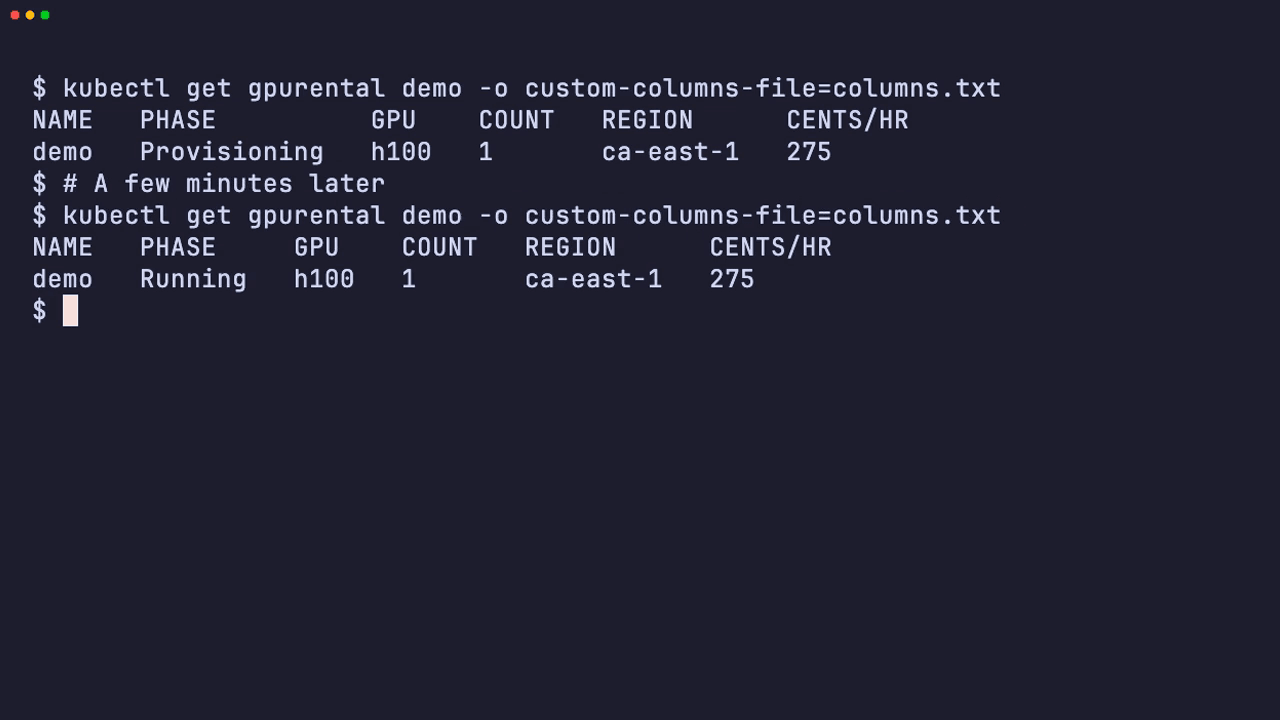
Apply a GPURental, watch it reach Running, connect over SSH, then delete it.
Built for teams that already run Kubernetes
A GPURental is an ordinary Kubernetes resource, so it fits the workflow your cluster already has. It can live in Git next to the workloads that need it, go through review, and sync with the tools you already use.
Platform teams can share one API key across namespaces with a ClusterProviderConfig. Its Secret stays in the operator's own namespace, and the platform team chooses which namespaces may use it. For tighter installs, the chart has a namespaced mode that grants the operator no cluster-wide access to Secrets.
If you would rather Hyperbolic run the cluster, Managed Kubernetes, also in beta, gives you a hosted control plane with GPU worker nodes. Rental Operator is for the cluster you already run.
Who manages what
Hyperbolic manages the rental API, the GPU machines and their provisioning, billing, and the Rental Operator project and its releases.
Your team manages the cluster the operator runs in, the Secret holding your API key, your ProviderConfigs and SSH keys, and the workloads you run on rentals over SSH.
What is included in the beta
Rental Operator 0.1.0 is the first public release and is in beta. It covers on-demand rentals, and its API is compute.hyperbolic.ai/v1alpha1, so fields can change between minor releases. The release notes include migration steps for every change.
Open source and contributing
Rental Operator and hyperbolic-go are open source under the Apache-2.0 license:
Each release signs the image and the chart with cosign, and the chart is listed on Artifact Hub. The repository's install guide shows how to verify a release before you install it.
Issues and pull requests are welcome, and questions go to GitHub Discussions.
Get started with Rental Operator
Rental Operator is available in beta. Install the chart, store your API key in a labeled Secret and apply your first GPURental by following the Rental Operator quickstart, or read the Rental Operator documentation.
:format(webp))
:format(webp))
:format(webp))
:format(webp))
:format(webp))
:format(webp))
:format(webp))
:format(webp))
:format(webp))
:format(webp))
:format(webp))
:format(webp))
:format(webp))
:format(webp))
:format(webp))
:format(webp))
:format(webp))
:format(webp))
:format(webp))
:format(webp))
:format(webp))